Soul 2.0 API : Realistic AI Photos of People, Fashion and Street Style in 33 Styles
Try Soul 2.0 online right here: describe a photo, pick one of 33 styles, from flash editorial to disposable camera and warm film, and get up to 4 realistic images at once. Then call the same model from your product through the Soul 2.0 API, with one key and one balance.
- 33 photo styles
- 1.5k or 2k, up to 4 per task
- Billed per image
- Open Soul 2.0 API
Features
Key Soul 2.0 API Capabilities
Photos that look shot, not generated
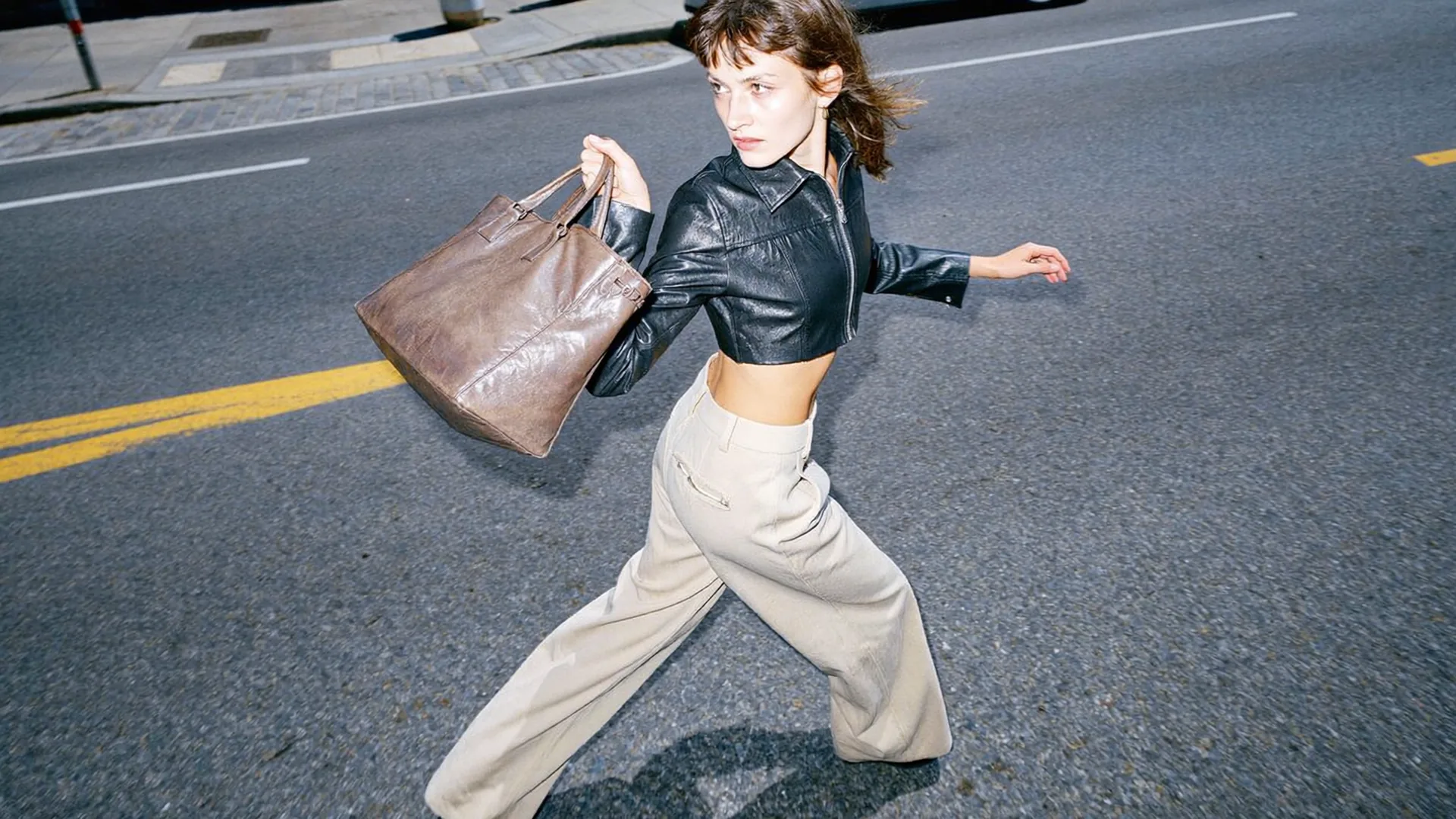
Soul 2.0 is tuned for realistic people: skin, hair, fabric, light and the small imperfections of a real camera. It suits portraits, outfits, street scenes and casual social photos.
33 photo styles in one parameter
Set style to one of 33 looks, such as flash_editorial, street_photography, y2k_street, disposable_camera or bw_film. Send general when you don't need a particular look.
Film, camera and era looks
Get the grain of warm film, the harsh flash of a party snapshot, the haze of a 2000s digital camera or the mood of 80s horror, without writing long style prompts.
1.5k or 2k, 7 aspect ratios
Choose resolution 1.5k or 2k at the same price, and 1:1, 16:9, 9:16, 4:3, 3:4, 3:2 or 2:3 for posts, stories, lookbooks and banners.
Up to 4 images per task
Set num_outputs from 1 to 4. Each image is generated on its own, so you get different people and poses to choose from in a single task.
Low price per image
Soul 2.0 is billed per image and priced for volume, so you can generate lookbooks, ad variations and content calendars at scale. Images that aren't generated are refunded.
Overview
What Is Soul 2.0?
- Model ID
soul-2.0- Resolution
- 1.5k / 2k
- Aspect ratio
- 7 options
- Style
- 33 styles
- Images per task
- 1–4
- Prompt
- Up to 8000 characters
- Price
- From $0.00585 / image
Soul 2.0 is an AI photo model for realistic pictures of people: portraits, outfits, street style, magazine-like editorials and UGC-style shots that look like they came from a phone or a film camera. You describe the scene in a prompt and choose a style; the model handles the light, the lens and the look.
On NanoAPI, Soul 2.0 is the model soul-2.0 of the product soul, listed with our creative models. Every task takes a prompt, a style, a resolution (1.5k or 2k), an aspect ratio and the number of images, and returns 1 to 4 images, each as a full PNG plus a JPEG preview. It is text to image only: every image is a new person, made from your words.
The 33 styles are what make Soul 2.0 different. Instead of stacking adjectives in the prompt, you pick a look by name, from the clean light of general and nature_light to the flash of flash_editorial, the grit of street_photography or the colour of warm_vivid_film, and the same prompt comes out in a completely different photographic mood.
Use Soul 2.0 online in the studio at the top of this page, browse the community examples to see each style, then call the Soul 2.0 API at https://api.nanoapi.ai/v1 from your own app. Both draw on the same prepaid balance at the same price per image, and a task that fails costs nothing.
Styles
All 33 Soul 2.0 Styles
The same prompt, a head-and-shoulders portrait in a cream turtleneck, generated once in every style. Pass the value under each name as style.

General
general
Warm ambient
warm_ambient
Y2K studio
y2k_studio
Swag era
swag_era
Theatrical light
theatrical_light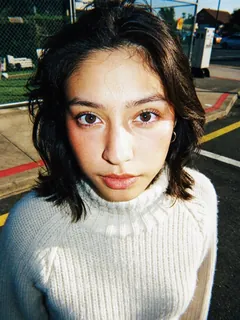
Y2K street
y2k_street
Flash editorial
flash_editorial
Old smartphone
old_smartphone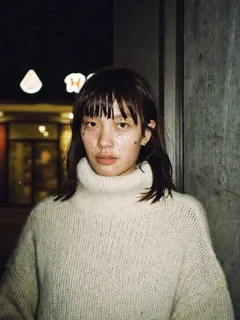
Street photography
street_photography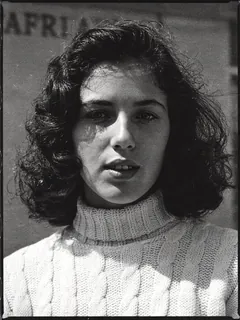
Retro BW
retro_bw
Asian nostalgia
asian_nostalgia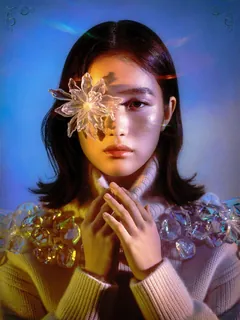
Surreal solarization
surreal_solarization
Subtle flash
subtle_flash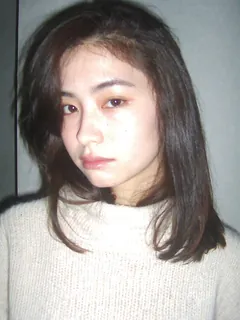
Digital camera
digital_camera
Siren
siren
Mystique city
mystique_city
Candy pop
candy_pop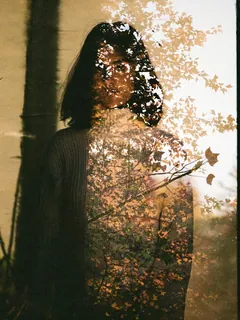
Double exposure
double_exposure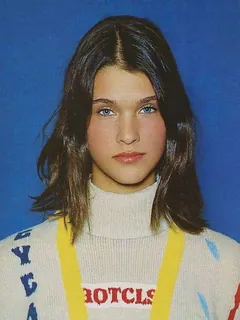
2000s band
2000s_band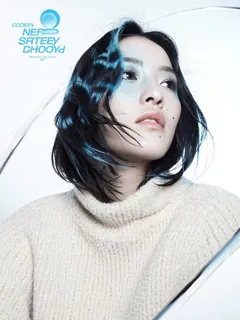
Frutiger aero
frutiger_aero
Drain
drain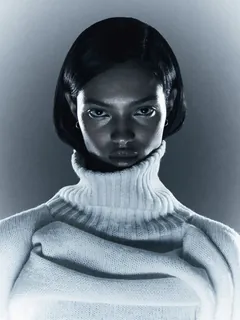
Extraterrestrial
extraterrestrial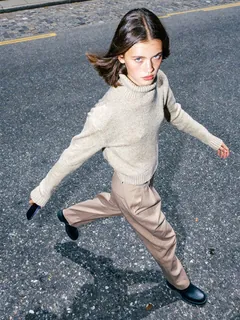
Editorial street style
editorial_street_style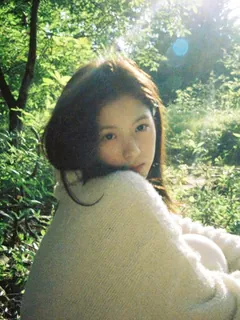
Nature light
nature_light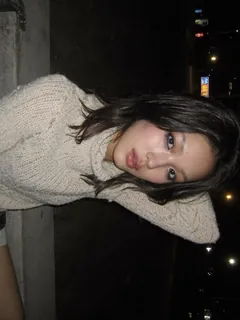
New Indie
new_indie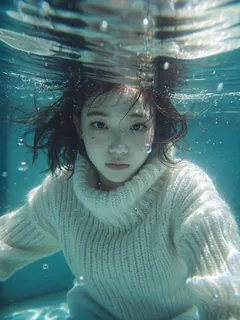
Underwater
underwater
80s horror
80s_horror
Disposable camera
disposable_camera
Neutral pastel film
neutral_pastel_film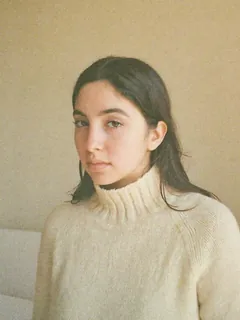
Warm vivid film
warm_vivid_film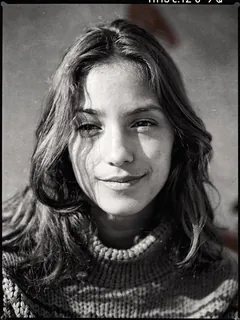
BW film
bw_film
Warm contrast film
warm_contrast_film
Muted cool film
muted_cool_film
Pricing
Soul 2.0 API Pricing
One price per image: you're charged only for the images a task returns, and resolution, aspect ratio and style don't change the price.
| Price | 1.5k / image | 2k / image |
|---|---|---|
| Per image | $0.00585 | $0.00585 |
Live prices per image. Cost = price per image × number of images; you're only charged for the images you get, and failed runs are fully refunded.
How it works
How to Use the Soul 2.0 API
- 1
Step 1: Get your API key
Sign in to NanoAPI with Google and create a key on the API Keys page of the console. It authenticates every Soul 2.0 API request, so keep it on your server.
- 2
Step 2: Top up your balance
Add funds on the Top up page of the console. The balance is prepaid in USD, never expires and is shared by every NanoAPI model.
- 3
Step 3: Create a task
Send POST /v1/tasks with model soul-2.0, a prompt, style, resolution, aspect_ratio and num_outputs. All five are required. The task is queued in under a second, and the price of the requested images is reserved within a few seconds.
- 4
Step 4: Get the photos
Receive the finished task once at your webhook_url, or poll GET /v1/tasks/{task_id} every 15 seconds or more. Each image takes about 16 to 40 seconds; the PNG files are in outputs[].url and the JPEG previews in preview_url.
Why NanoAPI
Why Use the Soul 2.0 API on NanoAPI
One key for every model
Soul 2.0 shares the POST /v1/tasks endpoint, the task object, the API key and the prepaid balance with every image and video model on NanoAPI.
Pay for images, not attempts
A task reserves the price of the images you ask for and charges only for the ones it returns. An image that isn't generated is refunded while the rest are delivered; a task with no image at all is refunded in full.
Webhooks or polling
Get the finished task pushed once to your webhook_url, signed to the Standard Webhooks spec (verifying is optional), or poll a single task or a batch of task ids.
Safe retries
Send an Idempotency-Key with each new task: a request resent after a timeout returns the task that was already created, so nothing is generated or charged twice.
Spend limits and a full history
Cap each API key's hourly, daily or total spending, and look up every request with its status, inputs, cost and result, your daily usage and every movement of your balance in the console.
Try online, then integrate
The studio on this page runs the same Soul 2.0 model at the same price, with a community example for every style. The docs also come as one llms.txt file for AI coding assistants.
Use cases
What You Can Build With the Soul 2.0 API
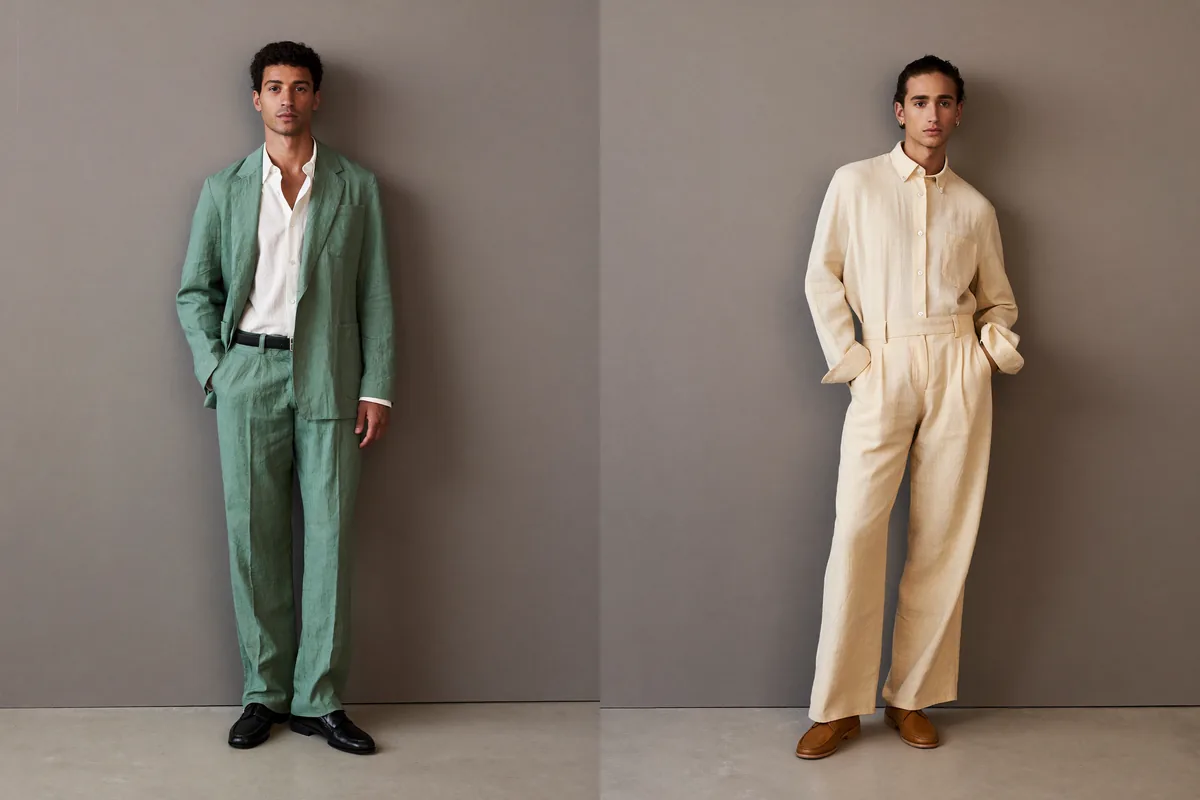
Fashion lookbooks and model shots
Show a collection on generated models against clean studio walls or on the street, in matching sizes for product pages, lookbooks and catalogues.
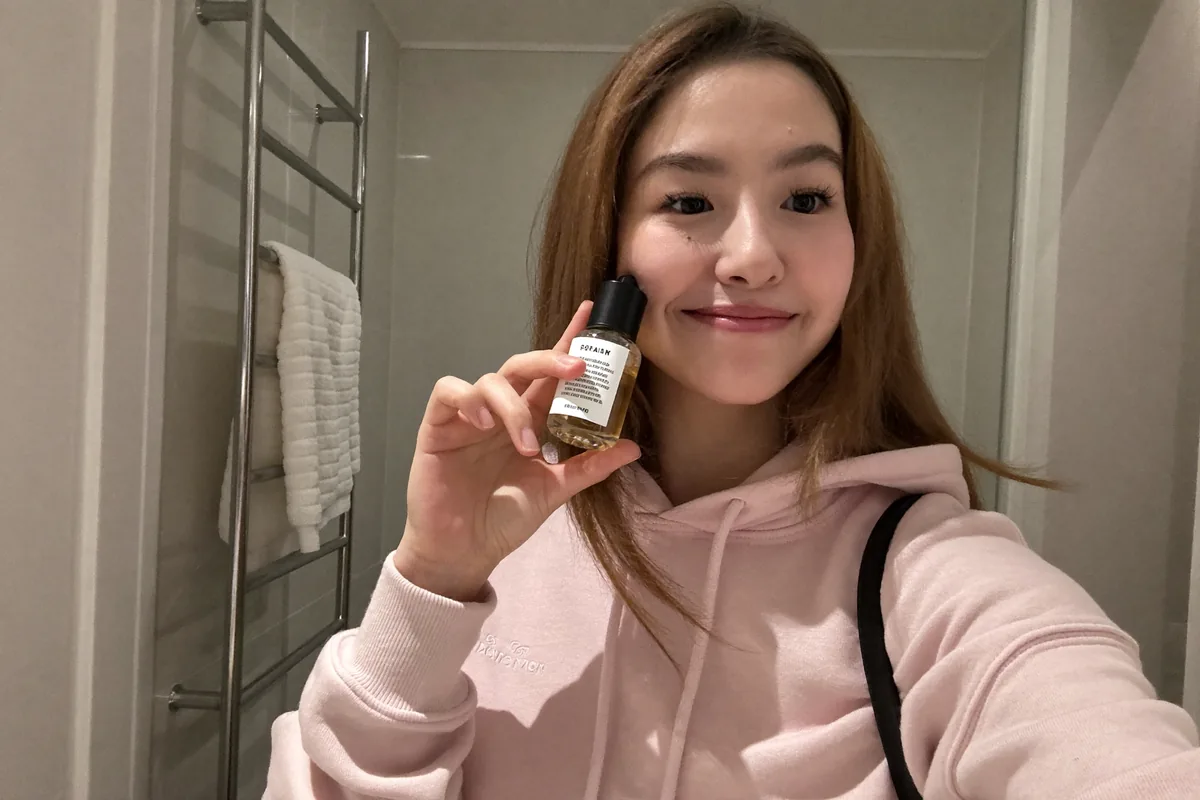
UGC-style ad creatives
Make casual, phone-camera photos of people holding a product or trying it at home, the look that performs on social ads, in as many variations as your tests need.
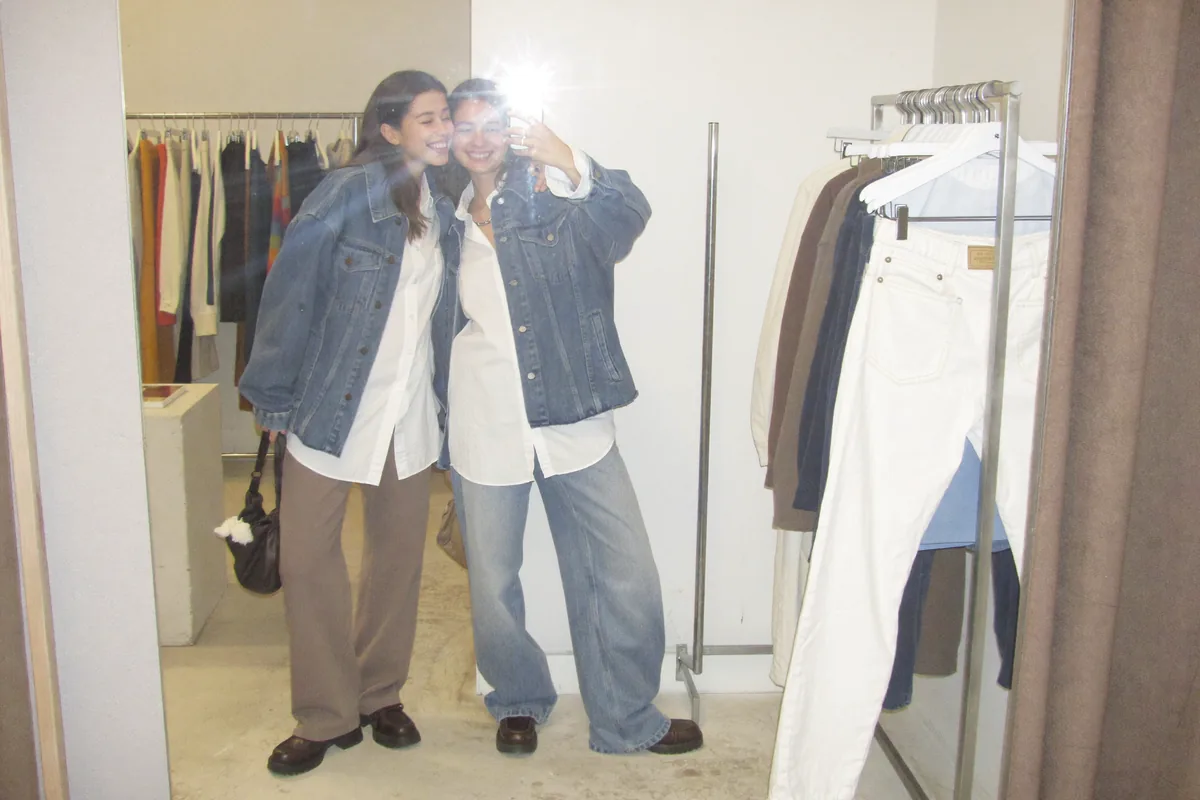
Social posts and creator content
Fill a content calendar with mirror selfies, outfit posts and candid moments in 9:16, 3:4 or 1:1, in a style that fits the account.
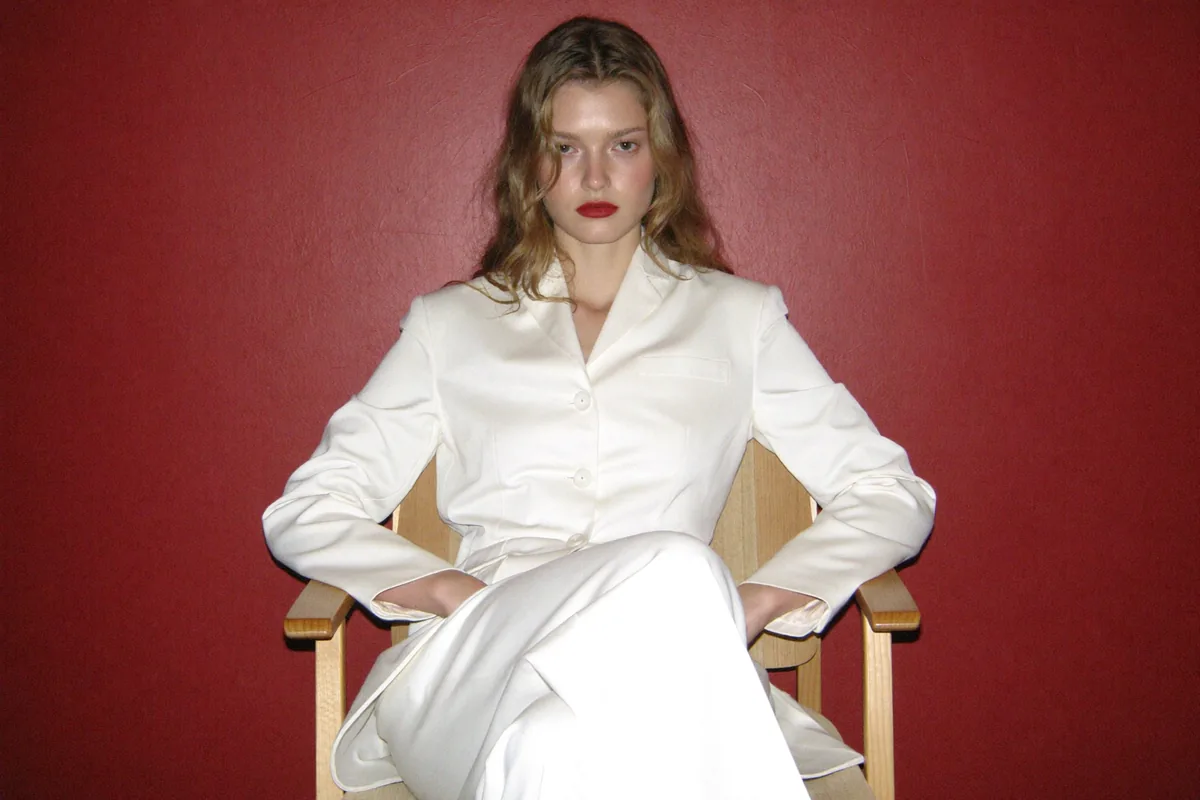
Editorial and campaign imagery
Use flash_editorial, theatrical_light or editorial_street_style for magazine-like portraits, campaign mood images and covers, then add your own type on top.

Film looks and mood boards
Explore a mood before a shoot: the same idea in warm_vivid_film, muted_cool_film, bw_film or disposable_camera, side by side.

Lifestyle photos at scale
Generate people at work, at home and outdoors for blog headers, landing pages and app screens, in bulk through the API, and copy the PNGs to your own storage within 15 days.
FAQ
Soul 2.0 API FAQ
Can’t find what you need? Write to us.
01What is the Soul 2.0 API, and how do I call it?
The Soul 2.0 API lets your app generate realistic photos of people over HTTP. On NanoAPI you send POST /v1/tasks with model soul-2.0, a prompt, style, resolution, aspect_ratio and num_outputs, and get 1 to 4 images back by webhook or by polling GET /v1/tasks/{task_id}. It uses the same API key and balance as every NanoAPI model.
02How much does the Soul 2.0 API cost?
You pay per image: the price per image × the number of images generated. Resolution, aspect ratio and style don't change the price. A task reserves the price of every image in num_outputs, charges only for the images it returns and refunds the rest; a failed task is refunded in full. The live price is in the table above, on the pricing page and in GET /v1/products.
03Which styles can I use, and how do I choose one?
There are 33, listed with an example above and in the docs: general, warm_ambient, y2k_studio, swag_era, theatrical_light, y2k_street, flash_editorial, old_smartphone, street_photography, retro_bw, asian_nostalgia and more. Send the value in style exactly as written, lowercase with underscores. Use general when you don't need a particular look, and browse the community examples in the studio to compare them.
04Which resolutions and aspect ratios does Soul 2.0 support?
resolution is 1.5k or 2k, at the same price. aspect_ratio is 1:1, 16:9, 9:16, 4:3, 3:4, 3:2 or 2:3. At 2k, 3:4 comes out at 1536×2048 and 16:9 at 2048×1152.
05Can I use reference images or keep the same person?
No: Soul 2.0 is text to image only, and every image shows a new person. To edit a photo or keep one face across images, use Nano Banana 2.1 or GPT Image 2.6 with the same reference photo each time. Soul 2.0 also isn't the right choice for images with text or for illustration styles.
06What happens if only some of my images are generated?
The task still succeeds and outputs contains only the images that were made, so it can be shorter than num_outputs; this happens, for example, when moderation blocks one image. You're charged for the images you got and the rest goes back to your balance. Only when no image comes back does the task fail, with a full refund.
07How long does it take, and how long are the results kept?
About 16 to 40 seconds per image once generation starts. Each image comes as a PNG of about 3 to 5 MB at outputs[].url and a JPEG preview at preview_url, on public links kept for 15 days, so copy the files you want to keep to your own storage. Use preview_url in lists and thumbnails.
Start Creating With Soul 2.0
Try Soul 2.0 in the studio above, then use the Soul 2.0 API to bring realistic photos of people into your product.