Genjutsu API : Remake Viral Videos With the Genjutsu 1.0 Model
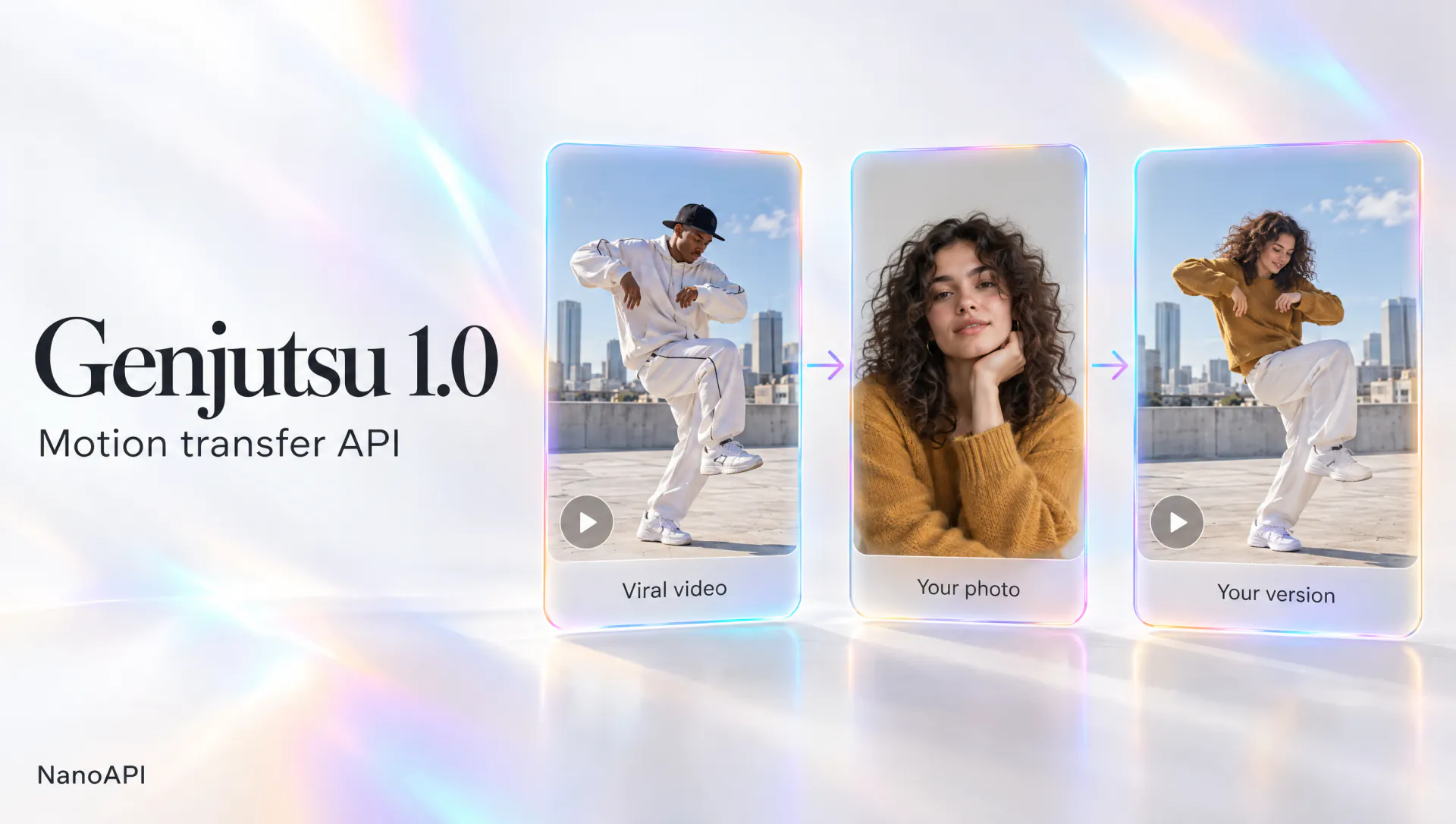
Genjutsu 1.0 is NanoAPI's motion transfer model, fine-tuned from Seedance 2.5. Find a viral video, upload one photo of yourself and get the same moves, camera and timing with no template tweaking. Try it here, then call the same model through the Genjutsu API.
- Genjutsu 1.0, tuned from Seedance 2.5
- No extra fee for the reference video
- One photo is all you need
- Genjutsu API ready
Features
Why Use the Genjutsu API on NanoAPI
Fine-tuned from Seedance 2.5 for motion transfer
Genjutsu 1.0 starts from Seedance 2.5 and is tuned for one job: carrying the moves, camera and timing of a reference video over to the people in your photos. Pay by the second at 480p, 720p or 1080p, with no subscription or minimum plan: top up from $10, and your balance never expires.
No extra fee for the reference video
The cost is the seconds of your source video (the reference clip you upload) × the price of your resolution, rounded to the nearest second with a 4-second minimum. That length is billed once: you are never charged for the reference clip on top of the video you get back.
One photo, one viral remake
Find a viral video, upload one photo of yourself and press Generate. Every template in Community already comes with its source clip, sample references and a prompt that works, so the moves, camera and timing carry over without rounds of template tweaking.
Solo, duet and group scenes
Genjutsu 1.0 keeps only the movement and camera of the reference clip and rebuilds people, outfits and settings from your images. For duets and group dances, add one photo per performer and cite them as @Image1, @Image2 and so on in the prompt.
Failed runs cost nothing
Every Genjutsu API task reserves its cost when you submit and is charged only when the video is ready. If a generation fails or times out, the full amount goes straight back to your balance.
One API, one balance
The Genjutsu API runs the same model, balance and prices as the studio on this page. Create a key in the console, send POST /v1/tasks with model genjutsu-1.0, and get the result by webhook or polling.
Overview
What Is Genjutsu 1.0?
- Base model
- Seedance 2.5
- Model ID
genjutsu-1.0- Resolution
- 480p – 1080p
- Source video
- Up to 30s
- Reference images
- 1–10
Genjutsu 1.0 is NanoAPI's video-to-video model for motion transfer, fine-tuned from Seedance 2.5. Instead of describing a scene from scratch, you start from a clip that already works, such as a viral dance, a product reveal or a cinematic walk, and add a photo of yourself or of your products and places. The model renders a new video in which your characters perform the same moves with the same camera and timing.
Genjutsu 1.0 is developed and run independently by NanoAPI as a direct alternative to Higgsfield Genjutsu; NanoAPI is not affiliated with Higgsfield. Source clips run up to 30 seconds (4 to 30 seconds in the studio), each task takes 1 to 10 reference images, and results come back at 480p, 720p or 1080p as public links that don't expire.
There are two ways to use it. Here in the studio, open a viral template in Community or upload your own clip, add your photo and generate. In your own product, call the Genjutsu API at https://api.nanoapi.ai/v1 with the model value genjutsu-1.0; the API also offers object replacement for swapping a product or prop in the source video. Both draw on the same prepaid balance at the same per-second prices.
How it works
How to Integrate the Genjutsu API
- 1
Step 1: Create an API key
Sign in to NanoAPI with Google and create a key on the API Keys page of the console. The full key is shown only once, so keep it on your server.
- 2
Step 2: Top up your balance
Add $10, $50, $500 or $1,200 ($500 comes with a 5% bonus, $1,200 with 10%). The balance never expires and is shared by the Genjutsu API and the studio.
- 3
Step 3: Create a task with the Genjutsu API
Send POST /v1/tasks with model genjutsu-1.0, mode motion_control, a public video_url, your image_urls and a resolution. The cost is reserved and the task is queued within seconds.
- 4
Step 4: Get the video
The Genjutsu API sends the finished task to your webhook_url, or you can poll GET /v1/tasks/{task_id}. The result is a public video URL you can serve directly.
Use cases
What You Can Build With the Genjutsu API
Viral remake apps
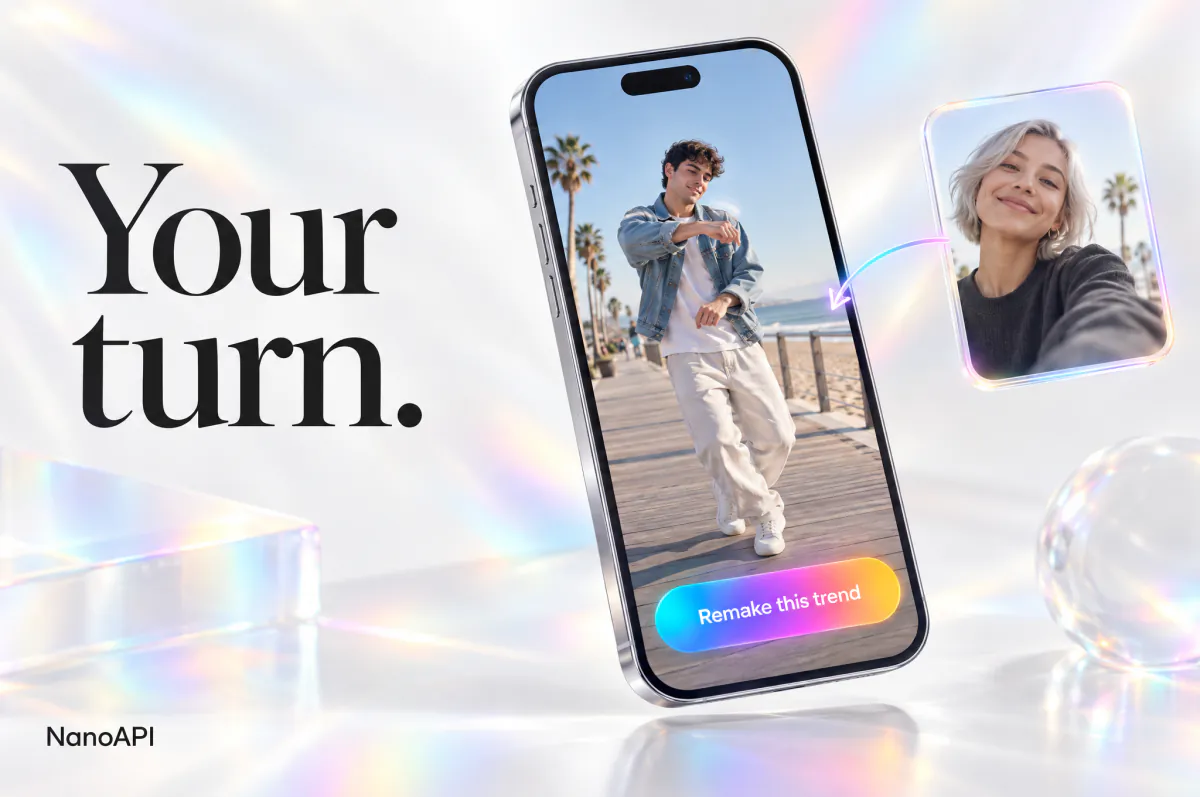
Let your users star in trending clips: they upload a selfie, your backend sends it to the Genjutsu API with a template video, and the finished remake comes back by webhook.
UGC-style ads at scale
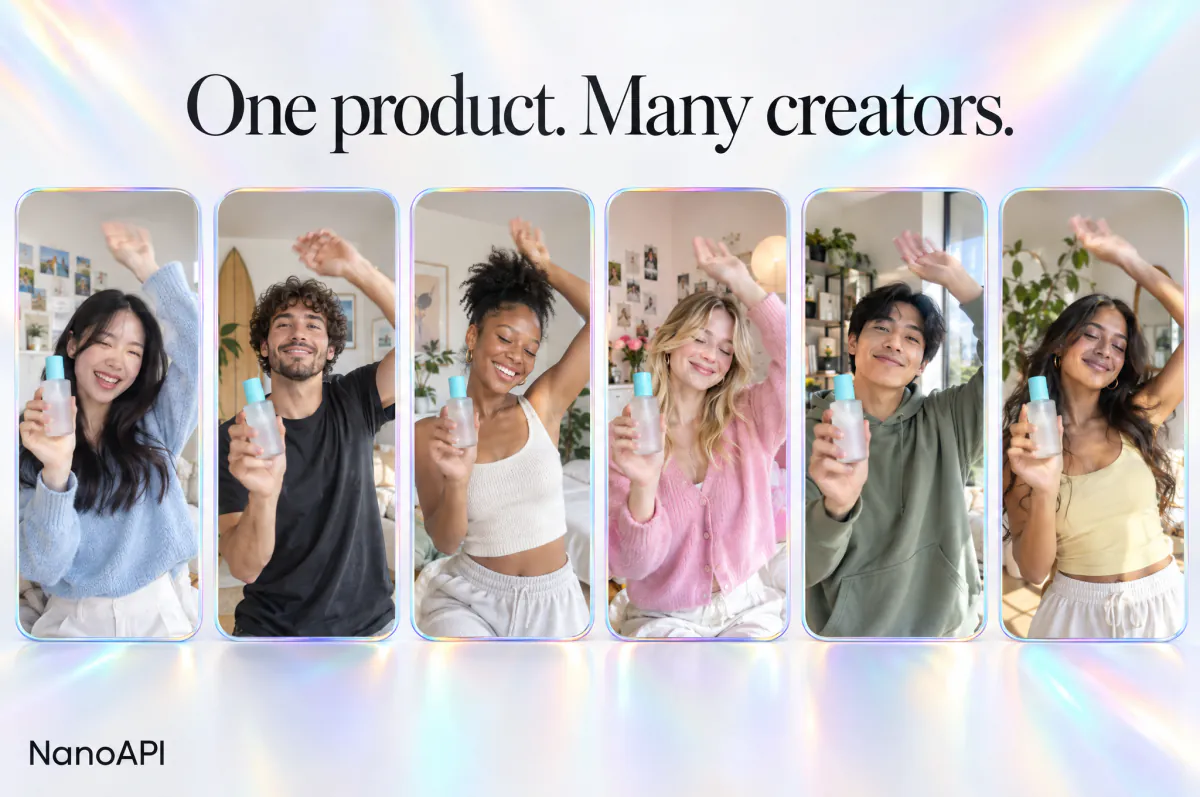
Run a proven ad format through the Genjutsu API with different creators, products or outfits while keeping the pacing and camera work that made the original perform.

Fashion and lookbooks
Put one model in different outfits, or one outfit on different models, while the walk and the camera stay identical.
Characters and mascots
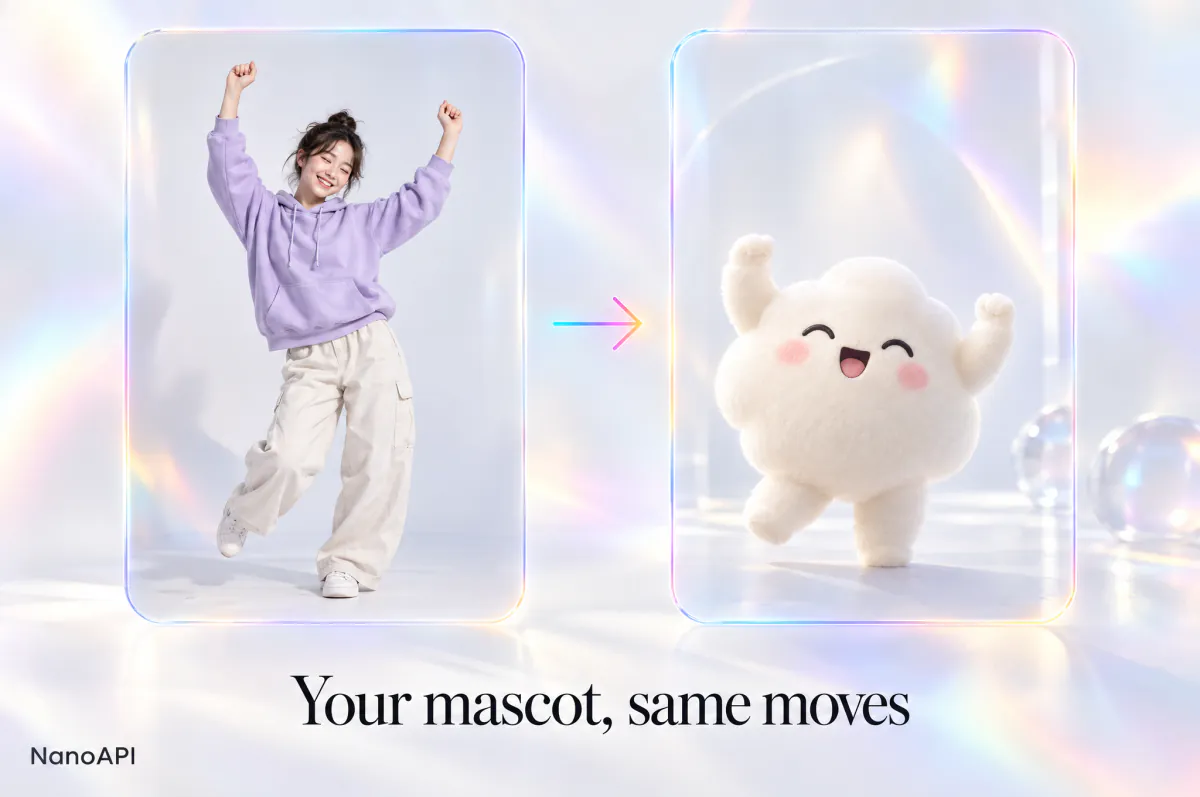
Bring an illustrated character or brand mascot into live-action motion taken from a real performance.
Guide
Genjutsu 1.0 Tips for Better Results
A few habits that keep faces, products and motion intact, in the studio and through the Genjutsu API.
Choose a clean source video
The model copies what it can see clearly. Pick clips with a steady subject, readable body movement and few hard cuts; one continuous shot transfers far better than a fast montage.
Prepare sharp reference images
Use well-lit photos in which the face, outfit or product fills a good part of the frame. Front-facing portraits keep identities stable, and product shots on a plain background give the cleanest shape and label. Add a second angle when the subject turns away from the camera.
Point to each reference in the prompt
Short prompts work best. Say who goes where, for example "@Image1 dances like the person in @Video" or "@Image2 plays the person on the right", and leave the movement to the source clip.
Test at 480p, finish at 1080p
Start with a cheaper 480p draft to check identity and framing, then render the keeper at 720p or 1080p. A failed run costs nothing: the amount reserved for it goes straight back to your balance.
FAQ
Genjutsu API FAQ
Can’t find what you need? Write to us.
01What is Genjutsu 1.0?
Genjutsu 1.0 is NanoAPI's motion transfer model, fine-tuned from Seedance 2.5. It takes the movement and camera of a reference video and renders a new clip around the people, products or places in your photos. Use it in the studio on this page or through the Genjutsu API.
02How is the Genjutsu API different from calling Seedance 2.5 directly?
Genjutsu 1.0 is fine-tuned from Seedance 2.5 for one job, motion transfer: one viral video and one photo give you the same moves, camera and timing with your person in them, and every Community template comes with a prompt that already works. You pay for the source video’s seconds × the resolution’s price per second, with no extra fee for the reference video’s length. For text, image or reference to video, video edit and video extension, NanoAPI also offers Seedance 2.5 itself on the same key and balance.
03Is Genjutsu 1.0 related to Higgsfield Genjutsu?
No. Genjutsu 1.0 is developed and operated independently by NanoAPI, and NanoAPI is not affiliated with or endorsed by Higgsfield. We offer it as a direct alternative: per-second pricing with no subscription, no extra fee for the reference video, ready-made viral templates and an open API.
04How much does the Genjutsu API cost?
The source video’s seconds × the price per second of the resolution you pick (480p, 720p or 1080p); the pricing page shows the current rates, and the Generate button shows the estimate before you submit. The source length is rounded to the nearest second, with a 4-second minimum. The cost is reserved when you submit and charged when the video is ready.
05How do I get a Genjutsu API key?
Sign in with Google, open the console and create a key on the API Keys page. You can have up to 10 keys, and each one can be reset or deleted at any time.
06How do I call the Genjutsu API?
Send POST https://api.nanoapi.ai/v1/tasks with your key in the Authorization: Bearer header and model set to genjutsu-1.0, then get the result by webhook or with GET /v1/tasks/{task_id}. The API docs have cURL, Python and Node.js examples.
07Do I need a subscription?
No. Top up your balance with $10, $50, $500 or $1,200 whenever you need more ($500 adds a 5% bonus and $1,200 a 10% bonus, so $1,320 lands in your balance). There is no subscription, nothing renews and the balance never expires.
08What if a generation fails?
You are not charged: the amount reserved for a failed or timed-out generation is released to your balance automatically. You can also get a full refund of a top-up within 7 days if you haven't spent any balance since: email support@nanoapi.ai and we process it within 24 hours.
09Can I use my own video?
Yes. In the studio, upload an MP4 or MOV file of 4 to 30 seconds or start from a viral template in Community. Through the Genjutsu API, pass a public mp4, mov, webm or mkv link of up to 30 seconds.
10Can I use the results commercially?
Yes, subject to our terms of service. Only upload faces, products and videos you have the right to use. Videos you make in the studio are private and only visible to you; there are no public share links. Adult content is not allowed.
Start Building With the Genjutsu API
Try Genjutsu 1.0 in the studio above with one photo, then call the same model from your own app with the Genjutsu API. You pay by the second of your source video.